How Much TV Is Too Much? Screen Time by Age, 2 to 12
Last reviewed: October 2026
Reviewed by: TVCP Product Team
We make TVCP, a parental control app for Android TV and Google TV. This guide tries to be useful whether or not you use it.
You want a number you can explain at home. Something clearer than “not too much”, but more useful than a rule that ignores homework, weekends and the rest of your child’s day.
Start with the age guidance below. Then decide where TV belongs in your own routine, including when it finishes.
How much TV should children have at each age?
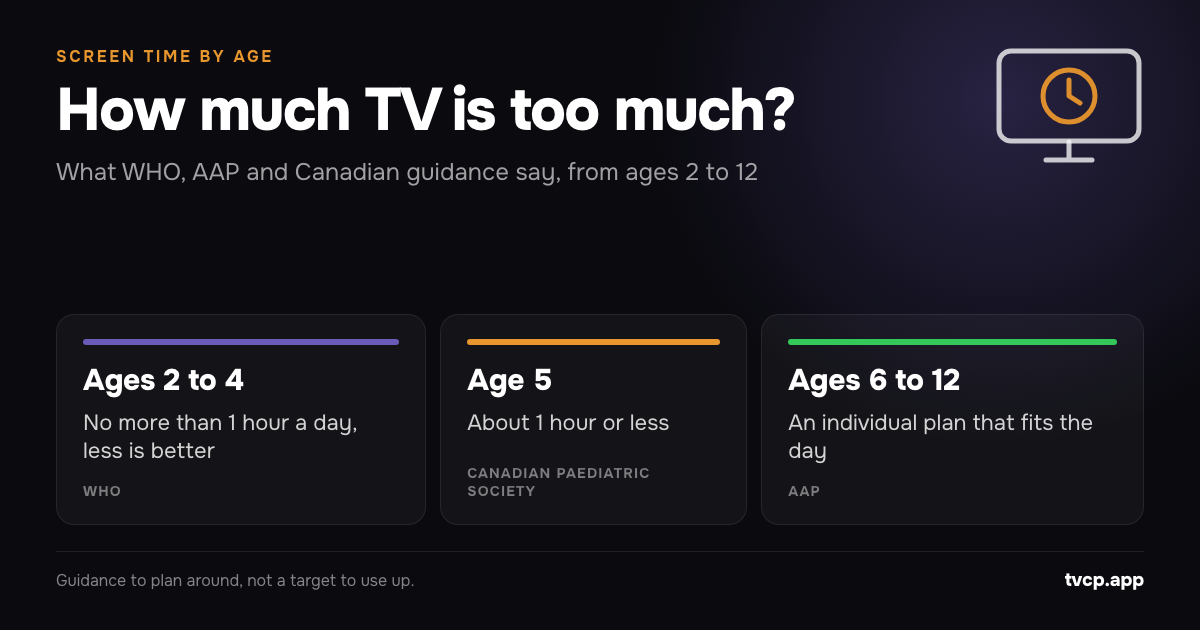
For ages 2 to 4, WHO recommends no more than one hour of sedentary screen time daily, with less being better. At school age, health bodies use different approaches, so there is no single agreed TV allowance for every birthday. WHO guidance, AAP’s 2026 explanation.
| Age | What the guidance actually says | How to use it at home |
|---|---|---|
| 2 | WHO: no more than one hour daily, less is better | Choose a short viewing session rather than filling the whole hour |
| 3 to 4 | WHO: the same one-hour ceiling | Include other sedentary screen use when planning TV |
| 5 | Canadian Paediatric Society: about one hour or less for ages 2 to 5 | Keep the preschool routine as a starting point |
| 6 to 8 | AAP: individual time boundaries, with school-age examples of one to two hours or more of entertainment media | Decide what fits after the day’s other needs |
| 9 to 12 | AAP: the same individual approach, rather than a new allowance each year | Agree the plan together and review it |
The table draws on WHO, the Canadian Paediatric Society’s preschool guidance and the AAP’s current explanation of time boundaries.
These are recommendations to plan around. We would not treat a maximum as a target that needs using up.
How much screen time should a 2-year-old have?
A 2-year-old should have no more than one hour of sedentary screen time a day under WHO guidance, and less is better. WHO includes television, videos and computer games in this category. WHO recommendations.
For your own plan, choose the programme before turning the TV on. Decide whether today calls for one episode, a short shared watch or no TV. You do not need to offer an hour because the guidance mentions one.
Keep the stopping point concrete: “We’ll watch this, then put the TV away and have lunch.” If another adult looks after your child, share that same plan. Ask what screens have already been used before deciding on the evening’s viewing.
How much screen time should a 3-year-old or 4-year-old have?
For both ages, WHO recommends no more than one hour daily of sedentary screen time, with less being better. It does not give a 4-year-old a larger allowance than a 3-year-old. WHO age groups.
Keep the TV plan small enough to describe in one sentence. For example: “One chosen programme after nursery, and the TV stays off during dinner.”
Make room to watch together when you can. The Canadian Paediatric Society recommends being engaged and choosing age-appropriate, educational programming. CPS advice on shared viewing.
You might ask what a character is trying to do, then leave the conversation there. There is no need to turn every programme into a lesson or quiz.
How much TV is OK for a 5-year-old?
About one hour or less of routine or sedentary screen time is the Canadian Paediatric Society’s recommendation for ages 2 to 5. CPS preschool recommendations.
Starting school need not mean increasing the TV allowance. Look at the actual afternoon: travel home, food, playing, reading and getting ready for bed. Choose the viewing slot after putting those things on the plan.
If there is only room for a short programme, choose a short programme. Save a film for a day when you can plan around it, rather than starting it late and arguing about finishing.
How much TV is OK for a 6-year-old, 7-year-old or 8-year-old?
Set an individual entertainment-screen boundary that fits the child’s day, rather than treating two hours as a universal AAP rule. Its 2026 explanation gives a possible range of one to two hours daily or more for school-age children and teens, depending on family needs and routines. AAP time-boundary guidance.
There is also more numerical Canadian advice: the CPS Centre for Healthy Screen Use recommends no more than two hours for the recreational activities described in its Q&A for families of school-age children. CPS school-age guidance.
Be clear about which approach you are following. Neither is a reason to add two hours of TV on top of gaming and other entertainment screens.
As a household example, you could choose half an hour of TV on a busy school evening. That is a practical example, not a medical recommendation. Check whether it fits your child before making it the standing rule.
How much TV should a 9-year-old to 12-year-old watch?
Use the same school-age guidance, with an agreed plan for entertainment across devices. The CPS position statement recommends individual time and content limits and putting sleep, physical activity and face-to-face interaction first. CPS family recommendations.
Invite your child to help: “What would you like time for this week? Where could TV fit?” Write down both the viewing time and the finishing time.
Keep schoolwork separate when talking about an entertainment allowance. The AAP’s example range specifically excludes school-related media. AAP explanation.
For a shared family film, agree the exception beforehand. You can choose a different plan for Saturday without turning every weekday into a fresh negotiation.
Does educational TV count as screen time?
For under-fives, yes: WHO’s sedentary screen-time recommendation gives no separate allowance for educational TV, and its examples include watching TV and videos. For school-age children, the AAP’s entertainment range leaves out school-related media. WHO definition and recommendations.
Choose worthwhile content within your plan. We would avoid adding an extra hour simply because a programme has letters or numbers in it.
If you want a broader way to judge a session, use the AAP’s five questions: think about the child, content, calm, crowding out and communication. AAP’s 5 Cs.
When should the TV go off before bed?
Aim to stop screens at least an hour before bedtime, as recommended by the CPS for school-age children and adolescents. CPS bedtime advice.
Work backwards from bedtime when choosing the last show. If bed is at eight, make seven the latest screen cutoff in that plan. Choose something that ends before then, with room for the ordinary business of getting ready.
Use the same cutoff when planning a longer weekend watch. If a film will run late, start earlier or choose another day.
How can I make the TV follow our plan?
Choose a viewing window and a stopping point before setting any controls.
For Android TV and Google TV with the Google Play Store, TVCP offers a schedule, app blocking, a lock from your phone, a sleep timer and a parent PIN. Use the schedule for the agreed viewing window and the phone lock when it is time to stop. TVCP features.
Keep the plan somewhere other carers can see it. For settings help, see Screen Time Limits on Android TV & Google TV and our guide to parental control apps and the family TV.
What if our current TV routine is very different?
Start by choosing one change you can put into practice this week.
You could stop background viewing during dinner, bring the last programme forward or choose tomorrow’s show tonight. Write down what you intend to do, try it, then review what happened.
For a conversation with your child’s clinician, bring specific questions and examples from your week. Ask about the pattern that concerns you, whether that is bedtime, school mornings or repeatedly missing other activities.
Related guides
See What Apps Are Used on Your Child's Android TV or Google TV
See which apps were used on your Android TV or Google TV, and for how long, from your phone. TVCP's Activity is free for every family.
Top Rated Parental Control Apps for Family TV
Compare top rated parental control apps for family TV. See how TVCP, Bark, Qustodio, and built-in controls manage smart TV screen time and apps.
How to Set Parental Controls on Android TV (2026)
Set up Android TV parental controls with a restricted profile and PIN, block apps, protect purchases, and see what changes if your TV actually runs Google TV.